
This MacBook Pro A2338 still worked, but it would not charge after a juice spill. It came into our iPhoneBits workshop in Glengormley today, and we were able to get it charging and working correctly again the same day.
The repair involved a liquid-damage assessment and clean-down, followed by replacement of the charging port assembly. The correct part was already in stock. Our three workshop photographs below show the opened MacBook, the port assembly during the repair and the final power-status screen.
REAL REPAIR AT iPHONEBITS
Model: MacBook Pro A2338
Reported fault: working, but not charging after a juice spill
Work completed: £30 liquid-damage assessment/clean-down, then charging port assembly replacement
Result: charging restored the same day. A separate battery service warning was also noted.
A working MacBook that would not charge
The customer told us juice had been spilled on the MacBook. Although it still switched on and worked, it was no longer charging. Before starting, we explained that liquid-damaged devices require a £30 assessment and clean-down before further repair work is carried out. The customer agreed, so we proceeded.
After opening the MacBook, we cleaned and inspected the affected areas. That inspection showed that the charging ports needed to be replaced.
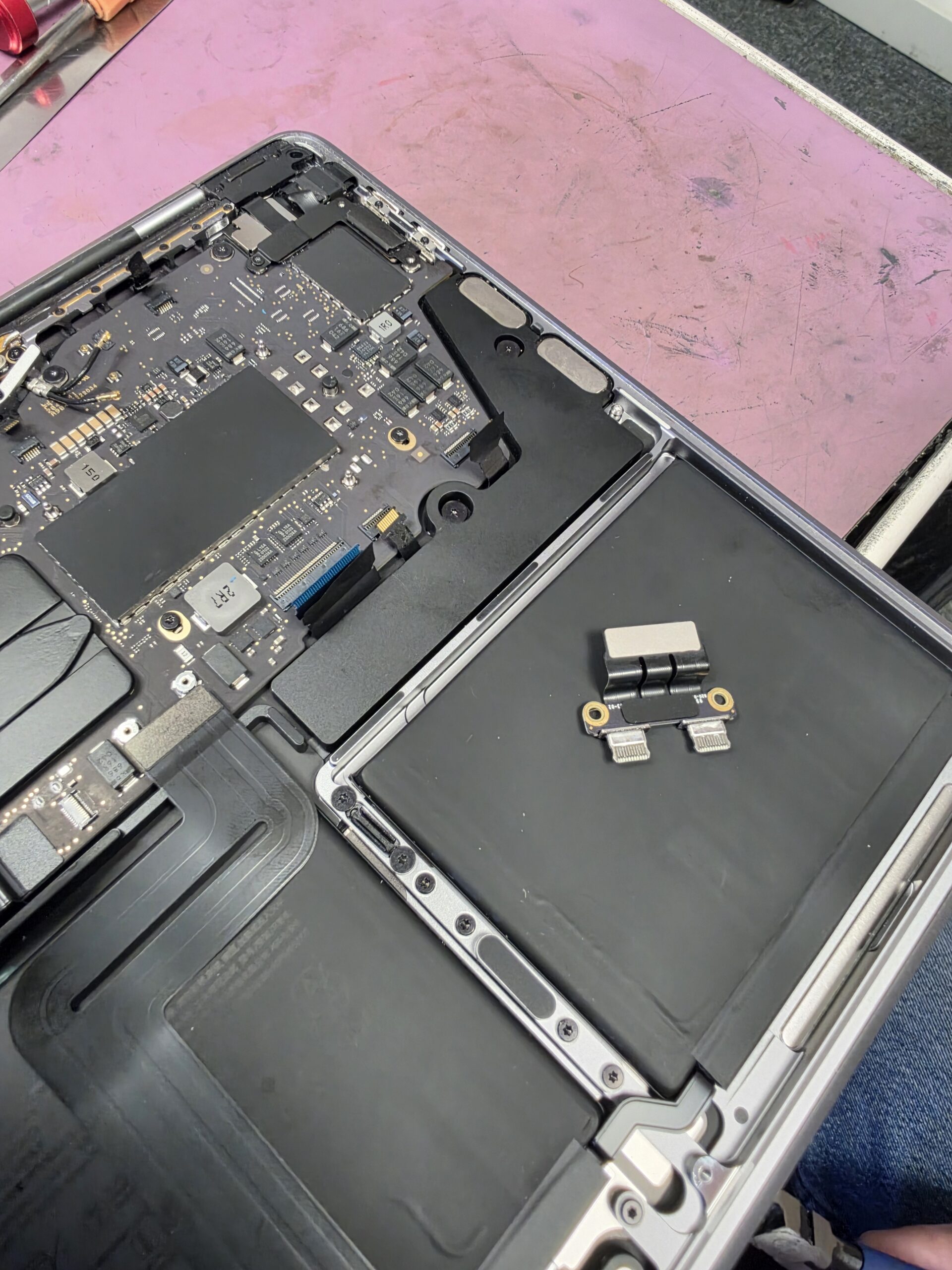
Charging port replacement, completed the same day
We had the correct charging port assembly in stock. We replaced it and got the MacBook charging and working correctly again, without having to wait for a part to arrive.
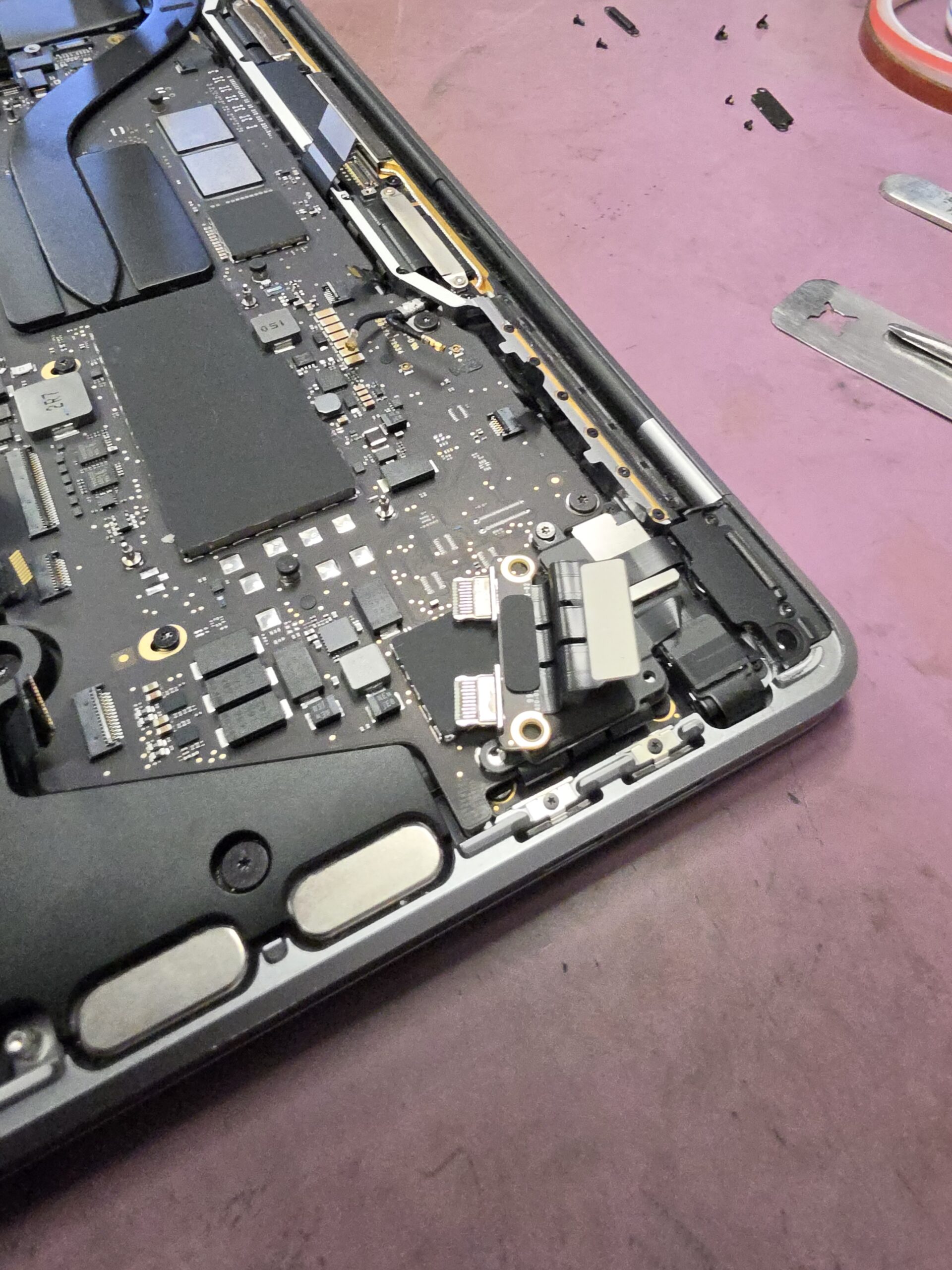
Many repairs can be completed the same day when the required parts are in stock, as happened with this A2338. Timing still depends on the fault, the extent of any liquid damage and the parts needed. We explain the likely turnaround after assessment.
The battery warning is a separate issue
The final photograph shows macOS reporting “Service Recommended” for the battery. It also shows “Power Source: Power Adapter”. The charging fault had been resolved by replacing the charging port assembly; the battery warning is a separate condition and was not the cause of this repair.
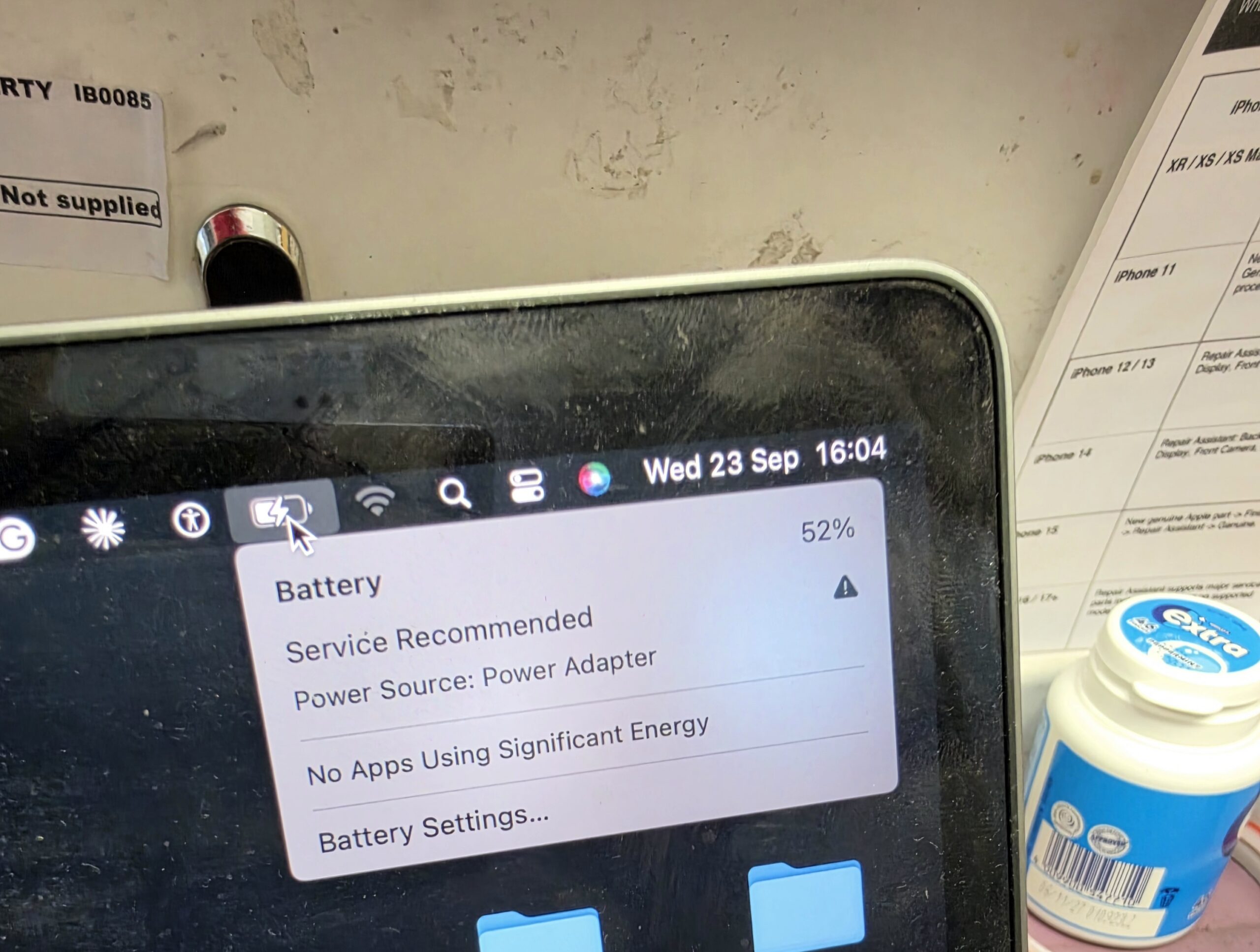
We will advise the customer that the battery is approaching replacement condition and provide a MacBook battery replacement quote. As they have already paid for this repair, we will offer them a good discount if they decide to have the battery replaced as well.
What does “Service Recommended” mean?
Apple explains that this warning means the battery holds less charge than when it was new, or is not functioning normally. It is a reason to have the battery assessed, rather than proof of a faulty charging port. You can read Apple’s explanation of the battery service warning.
What liquid can do inside a MacBook
A spill can reach charging ports, internal connectors, components and logic-board circuitry. Juice can also leave residue behind after the visible moisture has dried. The damage depends on where the liquid travels and what it reaches.
Why can it still work but stop charging?
A MacBook can continue running on its remaining battery charge while a fault prevents power reaching it correctly through the charging connection. Damage does not have to affect every part of the computer at once. In this case, inspection led us to the charging ports, and replacing their assembly restored charging.
Why early inspection matters
Switching on successfully does not mean a liquid-damaged MacBook is clear of problems. Moisture and contamination can remain inside, and corrosion may develop around connections and components. Early professional cleaning can remove residue and reduce the chance of corrosion spreading, although it cannot guarantee that all damage is reversible.
If you have just spilled liquid on your MacBook, shut it down, disconnect the charger and arrange an inspection promptly. Avoid repeated charging or restart attempts to see whether it has recovered.
USB-C faults and board-level MacBook repairs
Damaged USB-C ports can cause charging or connection problems. A MacBook that will not charge may also need checks of its charger, cable, internal connections and power circuitry. We diagnose the fault before recommending parts.
Some liquid damage reaches the logic board and needs component-level work. iPhoneBits carries out board-level repair and microsoldering, including assessment of charging circuits, damaged connectors and no-power faults. Not every liquid-damaged MacBook needs board repair. This job was resolved with cleaning and charging port assembly replacement.
MacBook repair in Glengormley, serving Belfast
Our family-run workshop helps customers looking for MacBook Pro repair in Belfast and the surrounding area, as well as Apple MacBook repairs in Northern Ireland. See our laptop and MacBook repair service for charging faults, battery problems, liquid damage and other computer repairs.
We offer No Fix No Fee on eligible repairs, but liquid-damage assessment and clean-down costs £30. That assessment fee is payable for the work carried out even if the device cannot be repaired. We explain further repair costs before proceeding.
MacBook not charging or affected by a spill?
Contact iPhoneBits if your MacBook has damaged USB-C ports, a battery warning, will not switch on, or needs logic-board or microsoldering work. Tell us the model, what happened and what it is doing now so we can advise on assessment.
Visit our upstairs workshop at iPhoneBits, 350 Antrim Road, Glengormley, BT36 5EQ. Liquid-damage assessment/clean-down is £30, with any further work explained separately.
Contact us about your MacBook repair