Category: Console and controller repairs

  • PS5 Slim Disc Drive Repair: Stuck Disc & Strange Noise (CFI-2016)

    PS5 Slim Disc Drive Repair: Stuck Disc & Strange Noise (CFI-2016)

    A stuck game disc, an attempted removal with a knife, and a PS5 Slim making a strange noise. That was the story behind this PlayStation 5 Slim CFI-2016 when it arrived at our iPhoneBits workshop in Glengormley.

    We opened the console and inspected its disc drive. Several parts of the mechanism had jumped out of place, and some small parts were missing. Although we could not complete this PS5 Slim disc drive repair, we could give the customer a practical way forward: a separate replacement drive.

    REAL WORKSHOP CASE AT iPHONEBITS

    Model: PlayStation 5 Slim CFI-2016
    Reported fault: strange noise after a stuck game was removed with a knife
    Inspection: displaced mechanism parts, missing springs and a plastic piece
    Outcome: repair could not be completed; customer advised about the replaceable disc drive.

    What the customer told us

    The customer said a game had become stuck inside the drive. Before bringing the console in, he had used a knife to try to get it out. He did manage to remove the game, but afterwards the console started making a funny noise.

    It is understandable to want a favourite game back, but the loading mechanism contains small, delicate parts. Pushing a tool through the disc slot can disturb or damage them. In this case, the damage likely happened during the removal attempt, although we cannot say what caused the disc to become stuck in the first place.

    PS5 Slim making noise: what we found inside this CFI-2016

    Once we opened the console and inspected the drive, we found parts of the internal mechanism out of position. The problem was more than a disc that needed ejecting: the mechanism itself needed attention.
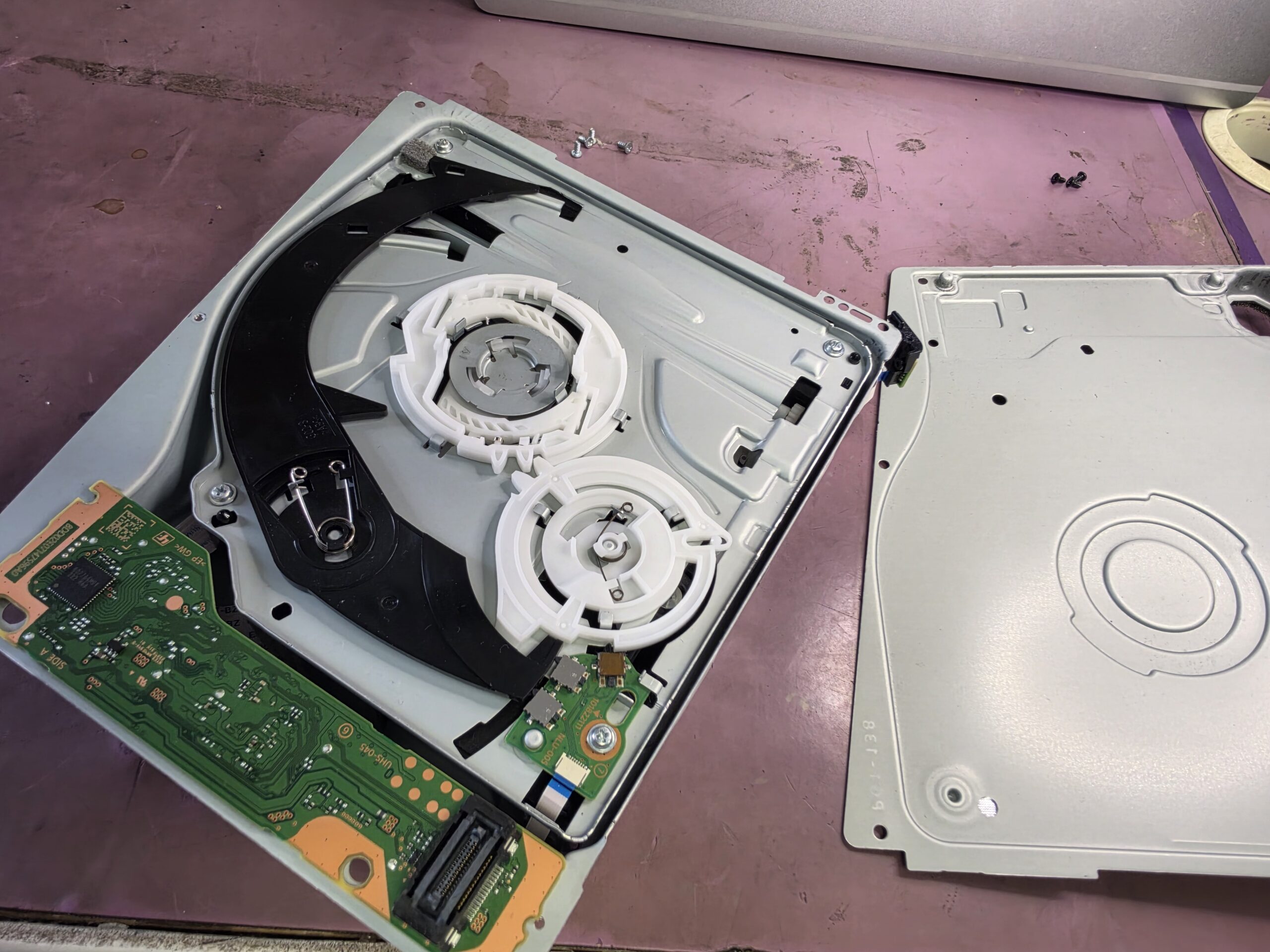
    Opened PS5 Slim disc drive showing the internal loading mechanism and removed metal cover
    1 · Inside the drive: the opened mechanism during our workshop inspection of the noisy PS5 Slim.

    We carefully reassembled the parts we could. As we worked through the mechanism, however, we found that some springs and a plastic piece were missing.

    Why we could not complete the repair

    Those small parts matter. Putting the remaining pieces back into position is not enough to make a complete, reliable mechanism when other pieces are missing.

    We could not find the missing parts and did not have suitable replacements in stock. That meant a proper repair of this particular drive was not possible this time. We explained the situation to the customer rather than treating a partly reassembled drive as a successful repair.

    This was a mechanical disc-drive problem. Other console faults can require board repair and microsoldering, but that would not replace the missing springs and plastic part here.

    The helpful part: a PS5 Slim drive can be replaced separately

    The PS5 Slim has a more modular disc-drive design. For an owner facing a badly damaged mechanism, that is a real benefit: a compatible replacement drive can be fitted separately, without replacing the whole console.

    Unlike older arrangements where the drive electronics and motherboard were effectively “married”, the Slim has a supported replacement-and-pairing process. It still requires an internet connection to pair the disc drive with the console during setup. So replacement is more straightforward, but it is not accurate to say that no pairing is needed.
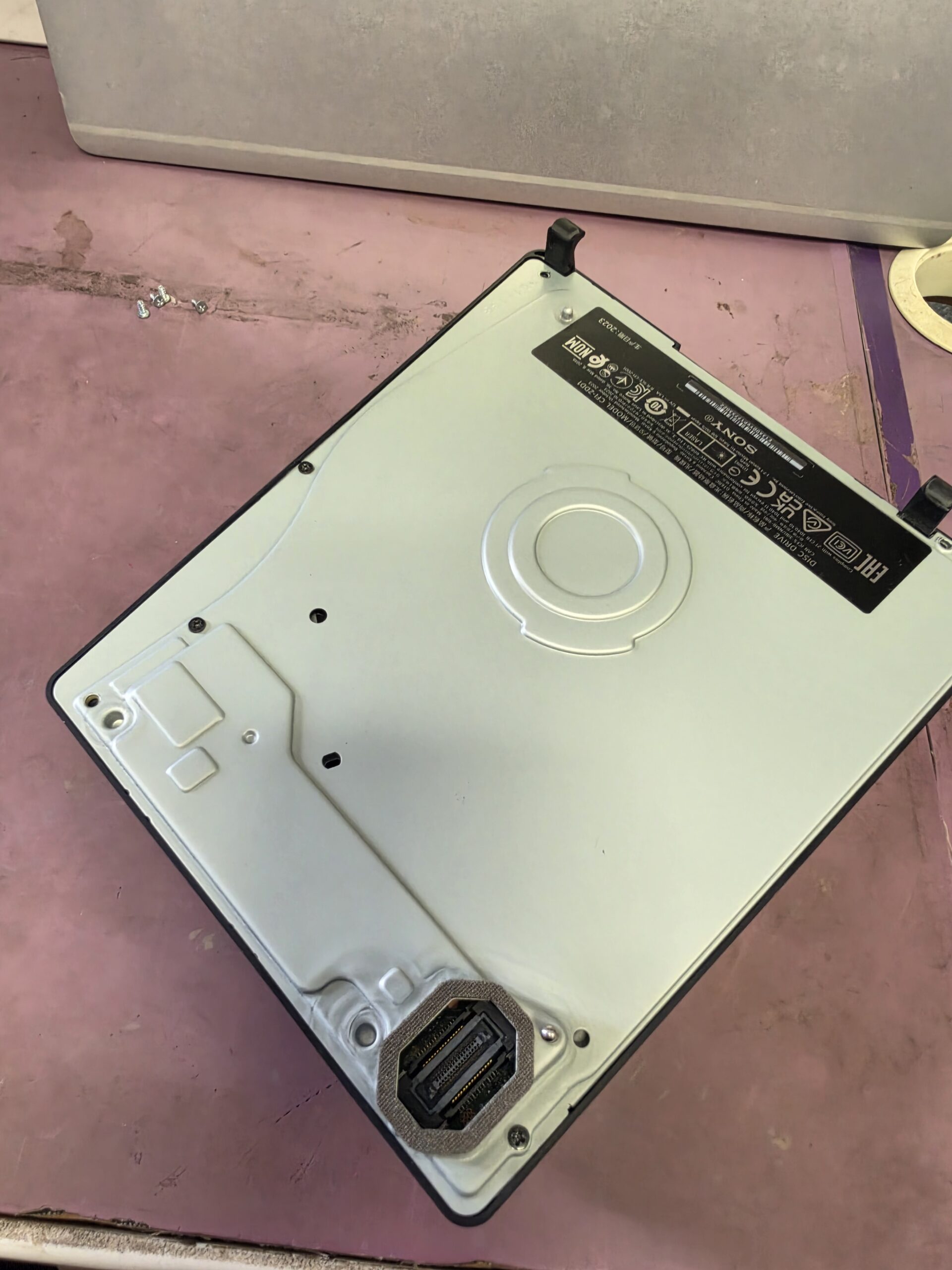
    PS5 Slim CFI-2016 removable disc drive on the iPhoneBits workshop bench
    2 · A separate module: the customer’s disc drive removed from the console. This is the inspected unit, not a newly fitted replacement.

    How much is a replacement PS5 Slim disc drive?

    Replacement drives are available for around £70. At the time of writing, Sony lists its compatible disc drive at £69.99 and explains the internet-pairing requirement. This is the drive-only price, not an iPhoneBits fitted repair quote; prices and availability can change.

    Check compatibility with your exact console before ordering. The CFI-2016 in this story belongs to the Slim CFI-2000 family; the detachable drive is not a universal replacement for every PS5 model.

    We advised the customer about this option. We did not complete a drive replacement as part of this workshop case, but the modular design made the next step more practical and affordable than replacing the console.

    Got a PS5 Slim disc stuck inside?

    A stuck disc does not automatically mean the drive is beyond repair. The cause needs checking first. Avoid putting knives or other objects into the slot, and stop trying to force the disc out if the mechanism is struggling or making unusual noises.

    Contact us with the model number, what happened and what the console is doing now. If you have already tried to remove the disc, let us know how; that helps us understand what to check.

    PlayStation 5 Slim repair in Glengormley, serving Belfast

    Our Console Repairs service covers diagnosis of disc-drive problems and other console faults. Whether you are looking for console repair in Belfast, PlayStation repair in Newtownabbey or searching for “PS5 repair near me”, our Glengormley workshop can assess the problem and explain the realistic options.

    Not every repair ends with the original part working again. Here, missing components prevented us from repairing the damaged drive, but the customer left with clear advice and a practical replacement option.

    Need help with a noisy or faulty PS5?

    For console repairs, diagnostics and honest advice in Glengormley, Newtownabbey, Belfast and surrounding areas, contact iPhoneBits. Tell us your console model and the symptoms, and we will help you work out the next step.

    Contact iPhoneBits about your console
  • Nintendo Switch Touchscreen Not Working? What We Found Inside

    A Nintendo Switch with an unresponsive touchscreen does not always need a new screen. This console came into iPhoneBits because touch input had stopped working. Once we inspected it, we found an internal connection that was not seated correctly.

    The workshop photographs below show the loose connection from two angles, followed by the connection correctly seated again. It is a useful example of why we check the cause before recommending parts.

    Our family-run workshop is based in Glengormley, Newtownabbey, serving customers from Belfast and the surrounding area. Alongside this case study, here is a look at the other Switch faults we can assess.

    REAL REPAIR AT iPHONEBITS

    Nintendo Switch arrived with no touchscreen response. Inspection revealed a dislodged internal connection associated with the touchscreen. Follow the photographs from the reported fault to diagnosis and reconnection.

    Nintendo Switch touchscreen not working

    The customer’s problem was straightforward: the touchscreen was not responding. That tells us the symptom, but it does not tell us whether the touchscreen itself, its connection or another part of the circuit is responsible.

    We inspected the internal connections before deciding what repair was needed. In this case, the important finding was inside the console.

    What we found

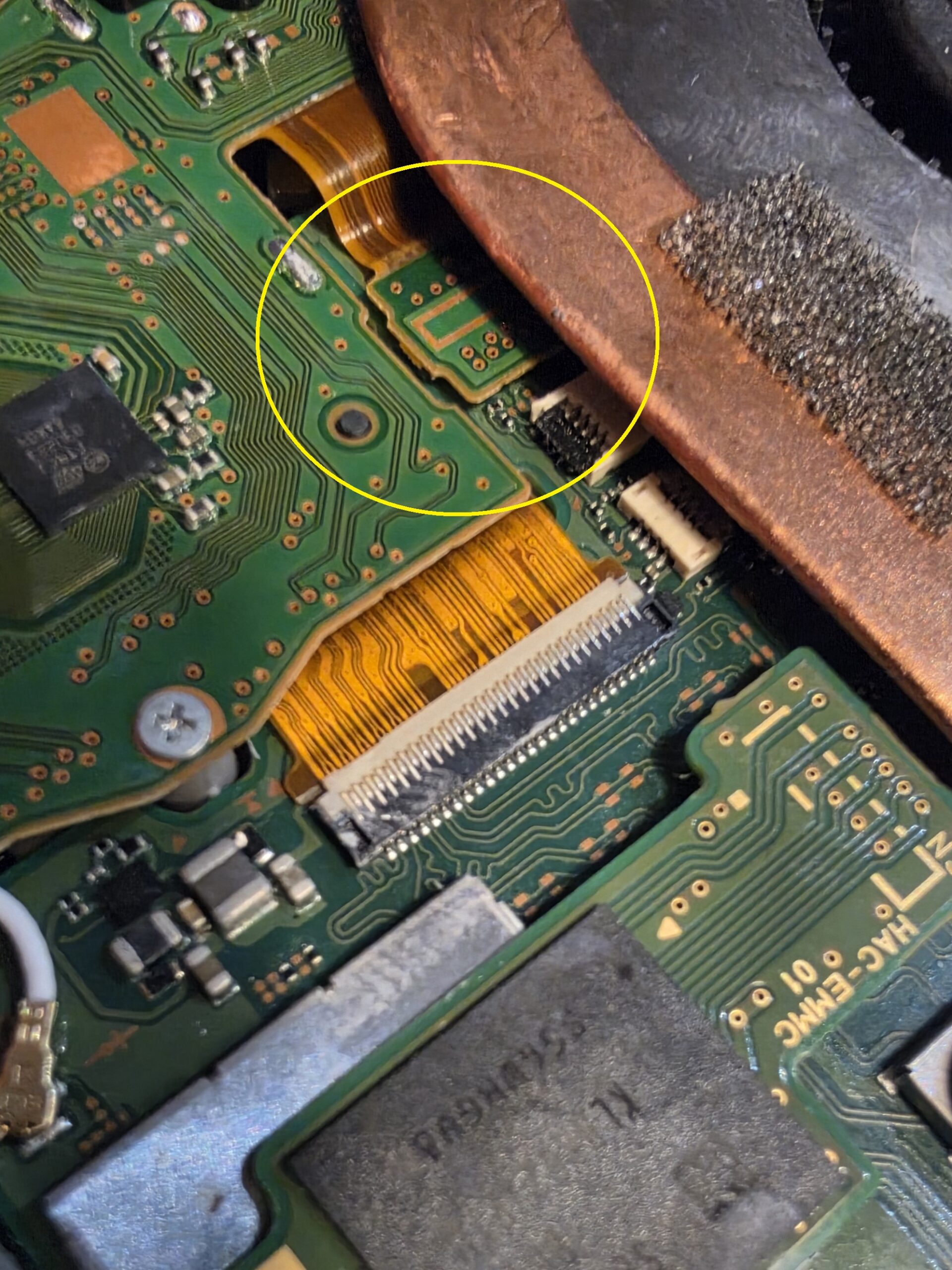
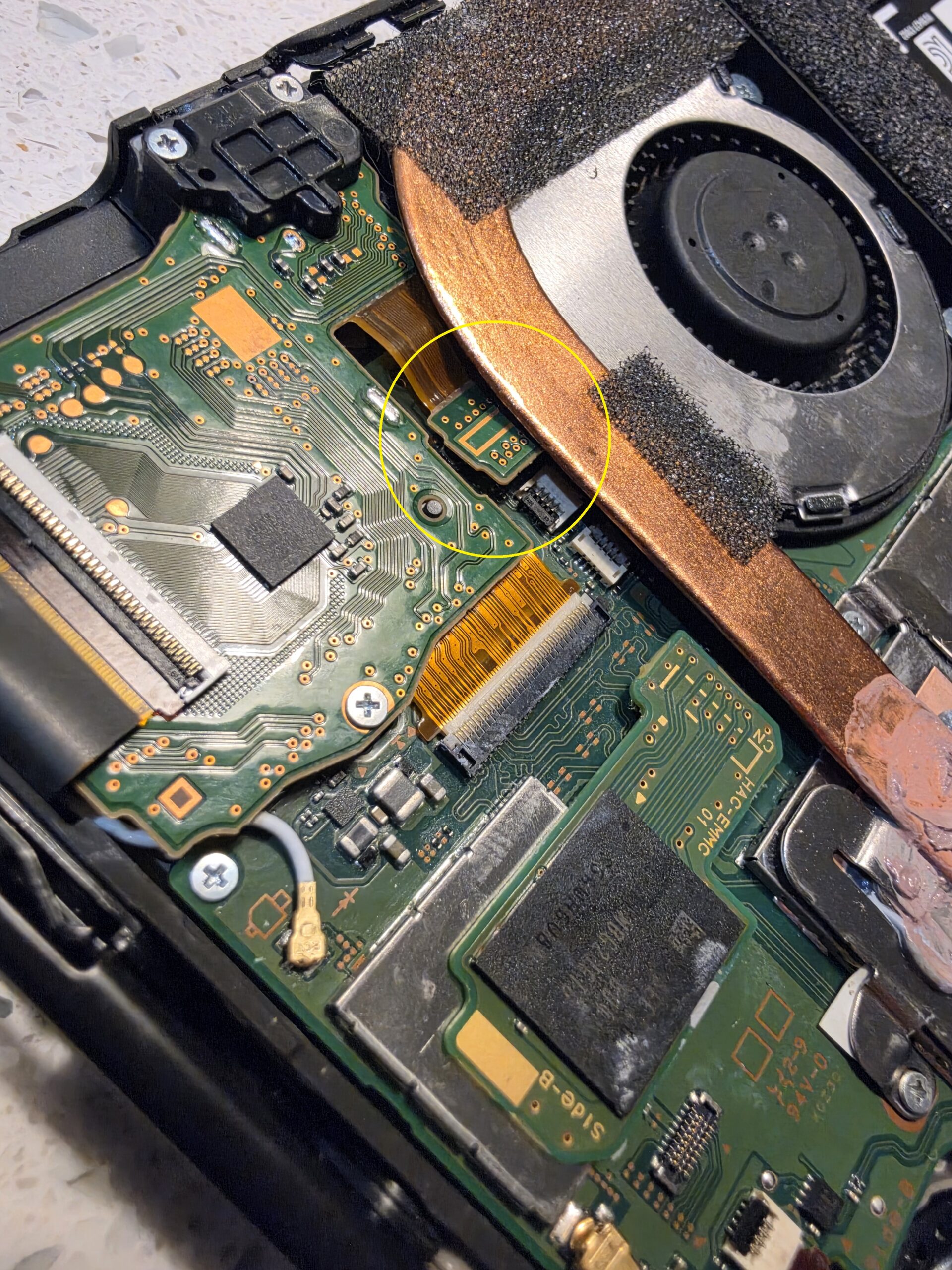
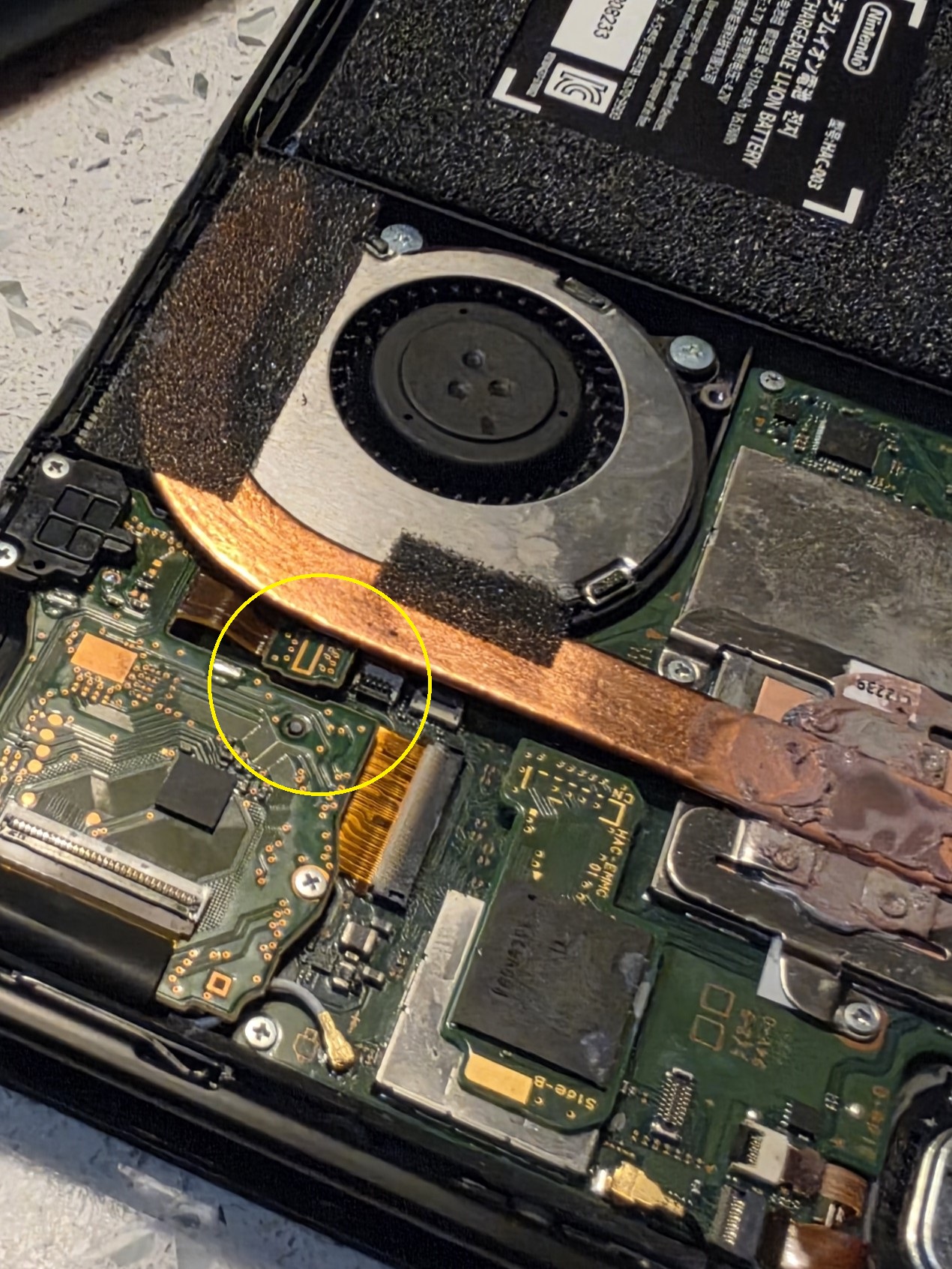
    The connection associated with the touchscreen had become dislodged or incorrectly seated. The yellow circles in these two photographs mark the area we found during inspection. They show the same fault from different angles.

    Nintendo Switch touchscreen not working: incorrectly seated internal connection circled during inspection
    1 · Fault found: the Switch arrived with no touchscreen response. The yellow circle identifies the incorrectly seated connection found inside.
    Nintendo Switch loose touchscreen cable connection, with the affected area circled in yellow
    2 · Diagnosis: another view of the loose connection. The original circle is kept visible so you can compare the affected area.

    The repair

    We corrected the seating of the connection. The final photograph shows it connected again, restoring the connection needed for the touchscreen to operate correctly.

    These photographs document the connector correction. They do not establish why it came loose, and we would not assume that every unresponsive touchscreen has the same cause.

    Nintendo Switch touchscreen cable connection correctly seated after repair at iPhoneBits
    3 · Correctly reconnected: the final workshop photograph shows the connection seated again, with the repaired area circled.

    Why Nintendo Switch faults need proper diagnosis

    Similar symptoms can have very different causes. A screen that ignores touch may have a connection problem, a damaged digitiser or another related fault. Replacing a screen without checking first could leave the original problem unresolved.

    The same applies to charging, power and game-reading problems. We inspect the console and explain the repair options based on what we find. You can see more about our Nintendo Switch and games console repairs.

    Common Nintendo Switch repairs we see

    Touchscreen problems are just one reason a Switch ends up on the bench. Other faults we assess include:

    • Not charging, damaged USB-C charging ports and completely dead consoles with no power.
    • Game cartridges not being recognised and game card reader faults.
    • Unresponsive touchscreens, cracked touchscreens or digitisers, and broken LCD or display panels.
    • Battery faults, short battery life and unexpected shutdowns.
    • Joy-Con connection problems and stick drift.
    • SD card reader faults and problems recognising storage cards.
    • Wi-Fi or Bluetooth connection problems.
    • Liquid damage, damaged internal connectors and flexible printed circuit (FPC) connections.
    • Board-level faults that may require microsoldering.

    Tell us whether you have an original Nintendo Switch, Switch Lite or Switch OLED. Nintendo Switch Lite repair and Nintendo Switch OLED repair need the right diagnosis and parts for that model; the internal layout and display assemblies differ.

    Nintendo Switch not charging

    A damaged USB-C socket can stop a Switch charging, especially if its contacts or mounting have been damaged. Nintendo Switch charging port repair may be appropriate when inspection confirms a port fault.

    However, “not charging” does not automatically mean “replace the port”. The charger, battery, internal connections or charging circuitry can also be involved. A completely dead console needs diagnosis too. Some Nintendo Switch USB-C repairs involve work on the board as well as the socket, so we check what has actually failed before quoting for the repair.

    Nintendo Switch not reading game cartridges

    If your Switch will not recognise a game, the cartridge, game card reader, its connector or another related fault could be responsible. Let us know whether the problem affects one game or several, and whether you see an error message.

    Nintendo Switch game card reader repair starts with inspection. We need to establish whether the reader needs attention or whether the problem lies elsewhere; a game-reading error alone does not confirm a failed reader.

    Nintendo Switch touchscreen & screen repairs

    The touch-sensitive layer and the display have different jobs. Cracked glass or a failed digitiser can affect touch input, while a damaged display can cause problems with the picture. The repair needed depends on the model and the damage.

    This case study shows another possibility: a connection that is not correctly seated. For Nintendo Switch touchscreen repair or screen repair, checking the connections and the condition of the screen helps us recommend the appropriate work.

    Nintendo Switch board-level repairs

    Some faults go beyond a replaceable assembly. Damaged connectors, charging-circuit problems and certain liquid-damage faults can require detailed board inspection and microsoldering.

    Our workshop carries out board-level and microsoldering repairs. We assess the damage and discuss what is practical; not every board can be repaired. Delicate connectors and soldered components need the right equipment and experience, so this work is best assessed in the workshop.

    Need your Nintendo Switch repaired?

    Tell iPhoneBits which Switch model you have, what it is doing and whether anything happened before the fault started. For charging problems, let us know which charger you use; for game-reading problems, mention any error message.

    Visit our upstairs workshop at 350 Antrim Road, Glengormley, Newtownabbey. We will advise on the next step and explain the price and likely turnaround once the fault and any parts needed are clear.

    Get in touch about your Switch repair
  • PS5 & Xbox Stick Drift: Checks, Costs and Repair in Glengormley

    PS5 & Xbox Stick Drift: Checks, Costs and Repair in Glengormley

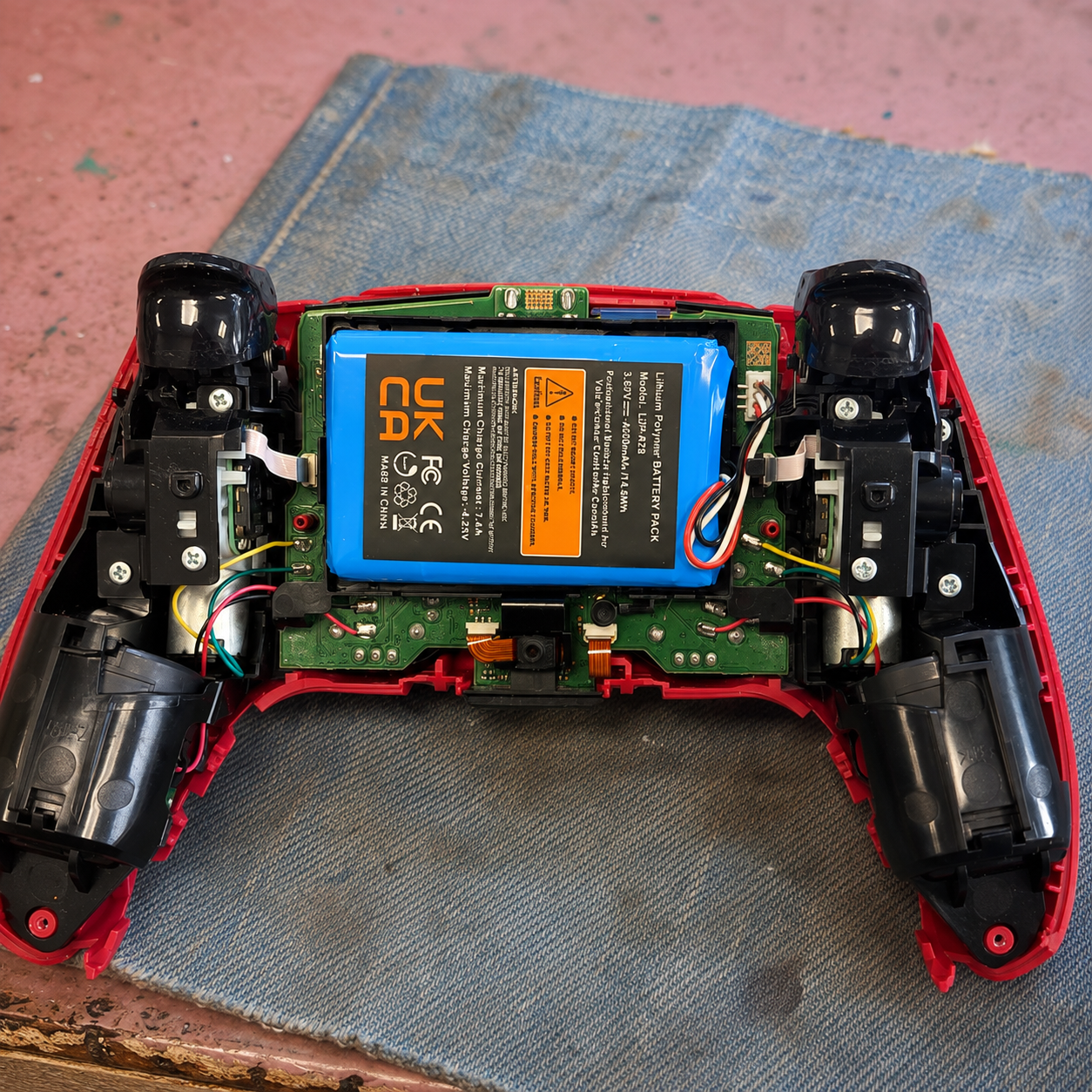
    Character moving on its own? Aim pulling left when your thumb is off the stick? This guide explains what stick drift is, the checks worth trying and when a controller repair makes sense. At iPhoneBits in Glengormley, we help customers across Newtownabbey with PS5, PS4, Xbox and Nintendo controller faults.

    Need a price first? Our published prices start at £25 for a standard stick replacement and £30 for a TMR upgrade, with both TMR sticks £45. We confirm compatibility, the fault and the final quote before work begins. Get a Repair Quote or see our controller repair service and current prices.

    What is stick drift?

    Stick drift is unwanted movement registered by an analogue stick while it is resting. You might notice a game character walking, the camera turning or a menu selection moving without your input. It can affect either stick, and it may start intermittently before becoming more noticeable.

    Wear in the stick’s position sensor is one possible cause. Dirt, damage and problems with the mechanism can also affect its behaviour. A controller that only behaves oddly in one game may instead need its settings checked, so the symptom alone does not tell us which part to replace.

    PS5 controller drifting? Try these checks first

    1. Try a second game. Check whether the same movement happens elsewhere. If you have another controller, compare the two with the same settings.
    2. Check for official software updates. Keep your console and controller software up to date. Follow the manufacturer’s instructions for your model.
    3. Try the official DualSense reset. Sony’s procedure is to switch the PS5 off, unplug the controller and hold the recessed reset button on its back for at least five seconds. Reconnect with the official USB cable and press the PS button. See Sony’s illustrated controller troubleshooting guide to locate the button.
    4. Review the game’s deadzone setting. A larger deadzone can hide a small unwanted input, but it also changes how the stick responds. It does not replace a worn component.

    A reset is a useful check, not a guaranteed cure for physical wear. Avoid spraying liquid into the controller or forcing the sticks. If the fault keeps returning, a proper inspection is more useful than repeating temporary fixes.

    Xbox and Nintendo Switch controller drift

    The same basic comparison helps with Xbox: test another game and, where possible, another controller. Use the official update and troubleshooting options for your exact model. The PS5 reset steps above do not apply to Xbox or Nintendo controllers.

    For a Switch Joy-Con or Switch Lite, tell us which stick is affected and whether the fault is constant or intermittent. A Switch Lite’s controls are built into the console, so its repair is different from a separate controller. We can check the appropriate repair and price before you book.

    Standard replacement or TMR sticks?

    A standard replacement addresses a faulty stick module. TMR sticks use magnetic sensing rather than the rubbing position-sensor contacts found in a conventional potentiometer stick. They can be a useful upgrade for a compatible controller, but installation, calibration and testing still matter. They do not make every part of a controller immune to wear or damage.

    At our workshop, we inspect the controller, explain the options and agree the price. After the repair, we calibrate and test its movement. Send the exact model when asking about a TMR upgrade, particularly for an Elite, Edge or modified controller: parts and repair options are not interchangeable across every version.

    How much does stick-drift repair cost?

    • Standard stick replacement: from £25.
    • TMR stick upgrade: from £30.
    • Both TMR sticks: £45.
    • More than one controller? Ask about multi-controller discounts.

    These are our published controller prices at the time of writing. Your model, compatibility and any additional faults determine the agreed repair. We explain the warranty terms before work starts. Compare the quote with the cost and condition of a replacement controller to decide what suits you.

    Controller repair in Glengormley and Newtownabbey

    iPhoneBits is a family-run business at 350 Antrim Road, Glengormley, Newtownabbey, BT36 5EQ. Our workshop is upstairs. We are open Monday–Friday, 9am–5pm, and Saturday, 11am–2pm. See our contact page for directions and ways to reach us.

    For a useful quote, send the controller model, which stick is drifting, what it does and whether it has been dropped, exposed to liquid or repaired before. A short video of the unwanted movement can help explain the fault. Ask about the current turnaround when booking; it depends on the repair and parts required.

    Prefer to talk? Call 07731 446515 or message iPhoneBits on WhatsApp. If the console also has a fault, explore our PlayStation repairs and console repair services.