
A Nintendo Switch with an unresponsive touchscreen does not always need a new screen. This console came into iPhoneBits because touch input had stopped working. Once we inspected it, we found an internal connection that was not seated correctly.
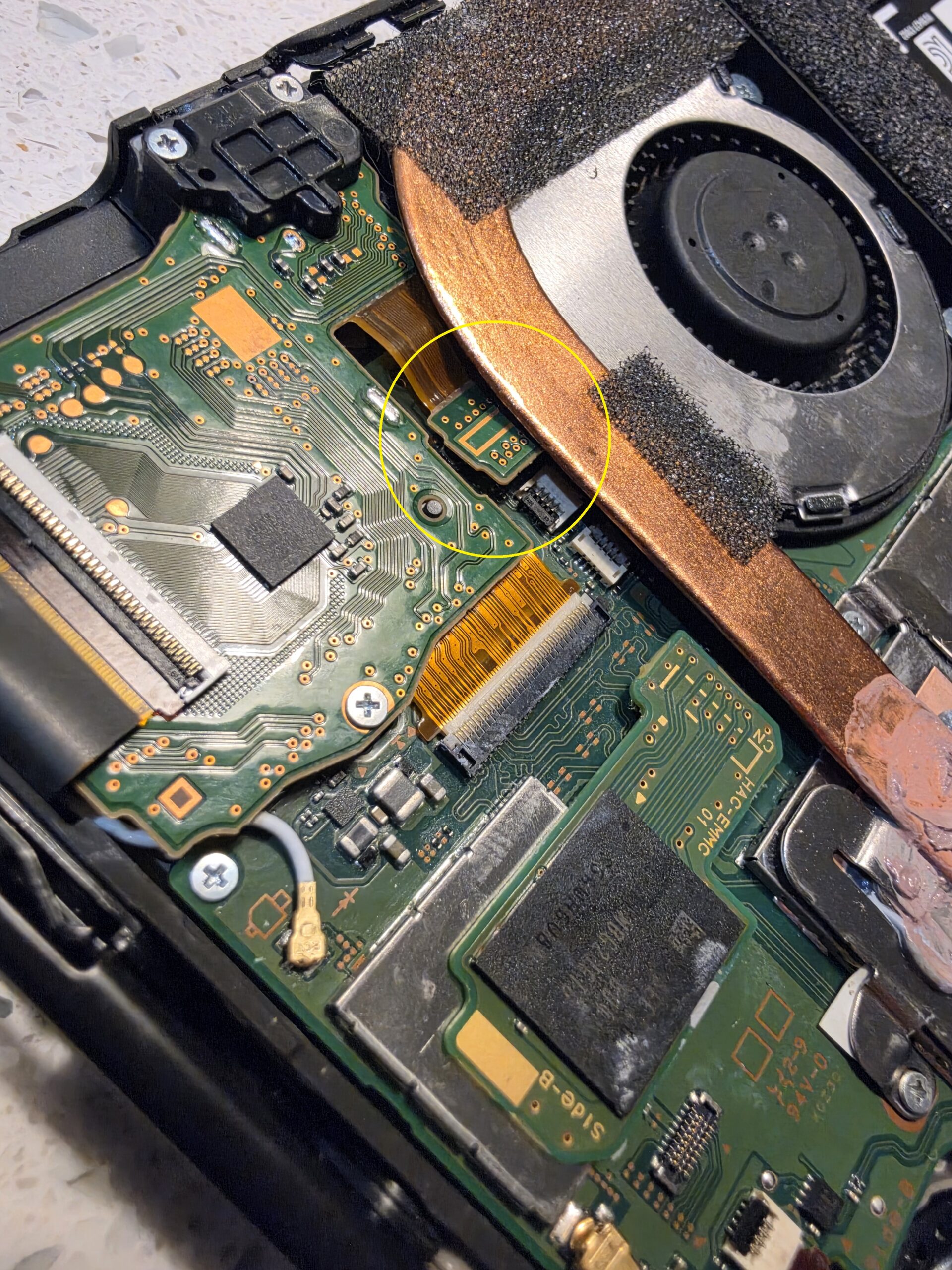
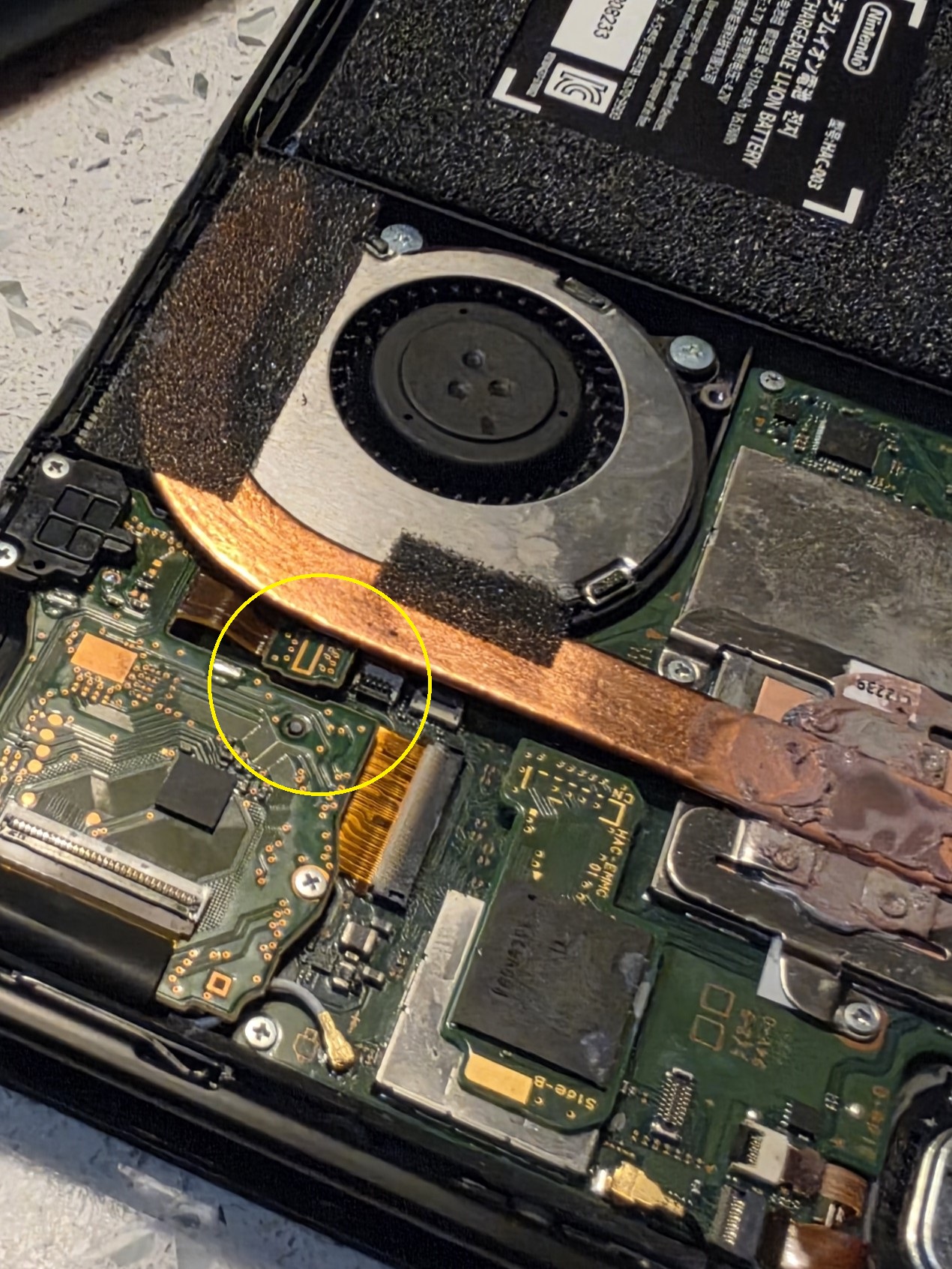
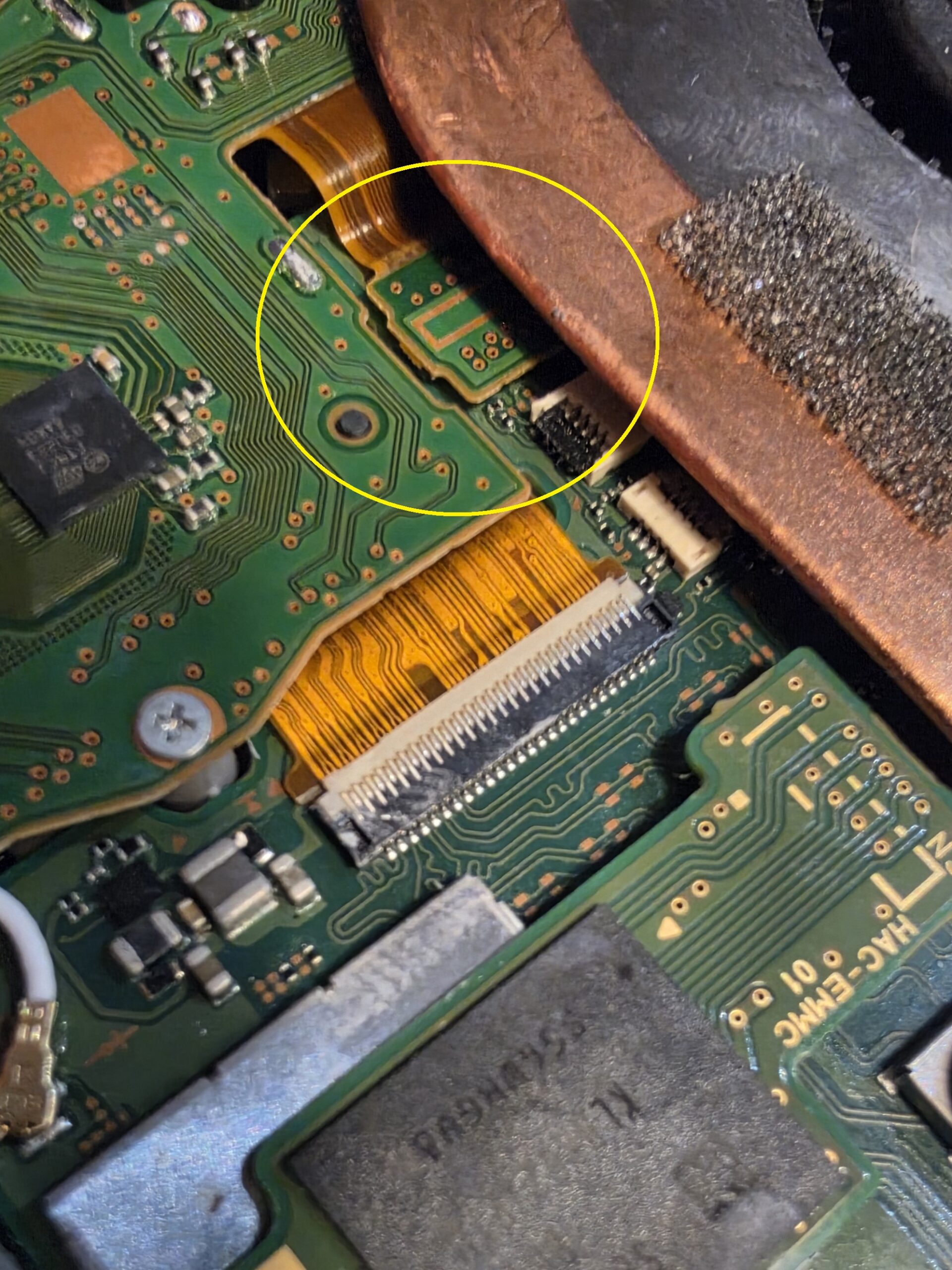
The workshop photographs below show the loose connection from two angles, followed by the connection correctly seated again. It is a useful example of why we check the cause before recommending parts.
Our family-run workshop is based in Glengormley, Newtownabbey, serving customers from Belfast and the surrounding area. Alongside this case study, here is a look at the other Switch faults we can assess.
REAL REPAIR AT iPHONEBITS
Nintendo Switch arrived with no touchscreen response. Inspection revealed a dislodged internal connection associated with the touchscreen. Follow the photographs from the reported fault to diagnosis and reconnection.
Nintendo Switch touchscreen not working
The customer’s problem was straightforward: the touchscreen was not responding. That tells us the symptom, but it does not tell us whether the touchscreen itself, its connection or another part of the circuit is responsible.
We inspected the internal connections before deciding what repair was needed. In this case, the important finding was inside the console.
What we found
The connection associated with the touchscreen had become dislodged or incorrectly seated. The yellow circles in these two photographs mark the area we found during inspection. They show the same fault from different angles.
The repair
We corrected the seating of the connection. The final photograph shows it connected again, restoring the connection needed for the touchscreen to operate correctly.
These photographs document the connector correction. They do not establish why it came loose, and we would not assume that every unresponsive touchscreen has the same cause.
Why Nintendo Switch faults need proper diagnosis
Similar symptoms can have very different causes. A screen that ignores touch may have a connection problem, a damaged digitiser or another related fault. Replacing a screen without checking first could leave the original problem unresolved.
The same applies to charging, power and game-reading problems. We inspect the console and explain the repair options based on what we find. You can see more about our Nintendo Switch and games console repairs.
Common Nintendo Switch repairs we see
Touchscreen problems are just one reason a Switch ends up on the bench. Other faults we assess include:
- Not charging, damaged USB-C charging ports and completely dead consoles with no power.
- Game cartridges not being recognised and game card reader faults.
- Unresponsive touchscreens, cracked touchscreens or digitisers, and broken LCD or display panels.
- Battery faults, short battery life and unexpected shutdowns.
- Joy-Con connection problems and stick drift.
- SD card reader faults and problems recognising storage cards.
- Wi-Fi or Bluetooth connection problems.
- Liquid damage, damaged internal connectors and flexible printed circuit (FPC) connections.
- Board-level faults that may require microsoldering.
Tell us whether you have an original Nintendo Switch, Switch Lite or Switch OLED. Nintendo Switch Lite repair and Nintendo Switch OLED repair need the right diagnosis and parts for that model; the internal layout and display assemblies differ.
Nintendo Switch not charging
A damaged USB-C socket can stop a Switch charging, especially if its contacts or mounting have been damaged. Nintendo Switch charging port repair may be appropriate when inspection confirms a port fault.
However, “not charging” does not automatically mean “replace the port”. The charger, battery, internal connections or charging circuitry can also be involved. A completely dead console needs diagnosis too. Some Nintendo Switch USB-C repairs involve work on the board as well as the socket, so we check what has actually failed before quoting for the repair.
Nintendo Switch not reading game cartridges
If your Switch will not recognise a game, the cartridge, game card reader, its connector or another related fault could be responsible. Let us know whether the problem affects one game or several, and whether you see an error message.
Nintendo Switch game card reader repair starts with inspection. We need to establish whether the reader needs attention or whether the problem lies elsewhere; a game-reading error alone does not confirm a failed reader.
Nintendo Switch touchscreen & screen repairs
The touch-sensitive layer and the display have different jobs. Cracked glass or a failed digitiser can affect touch input, while a damaged display can cause problems with the picture. The repair needed depends on the model and the damage.
This case study shows another possibility: a connection that is not correctly seated. For Nintendo Switch touchscreen repair or screen repair, checking the connections and the condition of the screen helps us recommend the appropriate work.
Nintendo Switch board-level repairs
Some faults go beyond a replaceable assembly. Damaged connectors, charging-circuit problems and certain liquid-damage faults can require detailed board inspection and microsoldering.
Our workshop carries out board-level and microsoldering repairs. We assess the damage and discuss what is practical; not every board can be repaired. Delicate connectors and soldered components need the right equipment and experience, so this work is best assessed in the workshop.
Need your Nintendo Switch repaired?
Tell iPhoneBits which Switch model you have, what it is doing and whether anything happened before the fault started. For charging problems, let us know which charger you use; for game-reading problems, mention any error message.
Visit our upstairs workshop at 350 Antrim Road, Glengormley, Newtownabbey. We will advise on the next step and explain the price and likely turnaround once the fault and any parts needed are clear.
Get in touch about your Switch repair